How to Play Kattilapeli
Kattilapeli is a game about asking questions, sharing answers, and discovering new things about the people around you—all under the cover of anonymity.
Here is a step-by-step guide on how to set up, customize, and play the game.
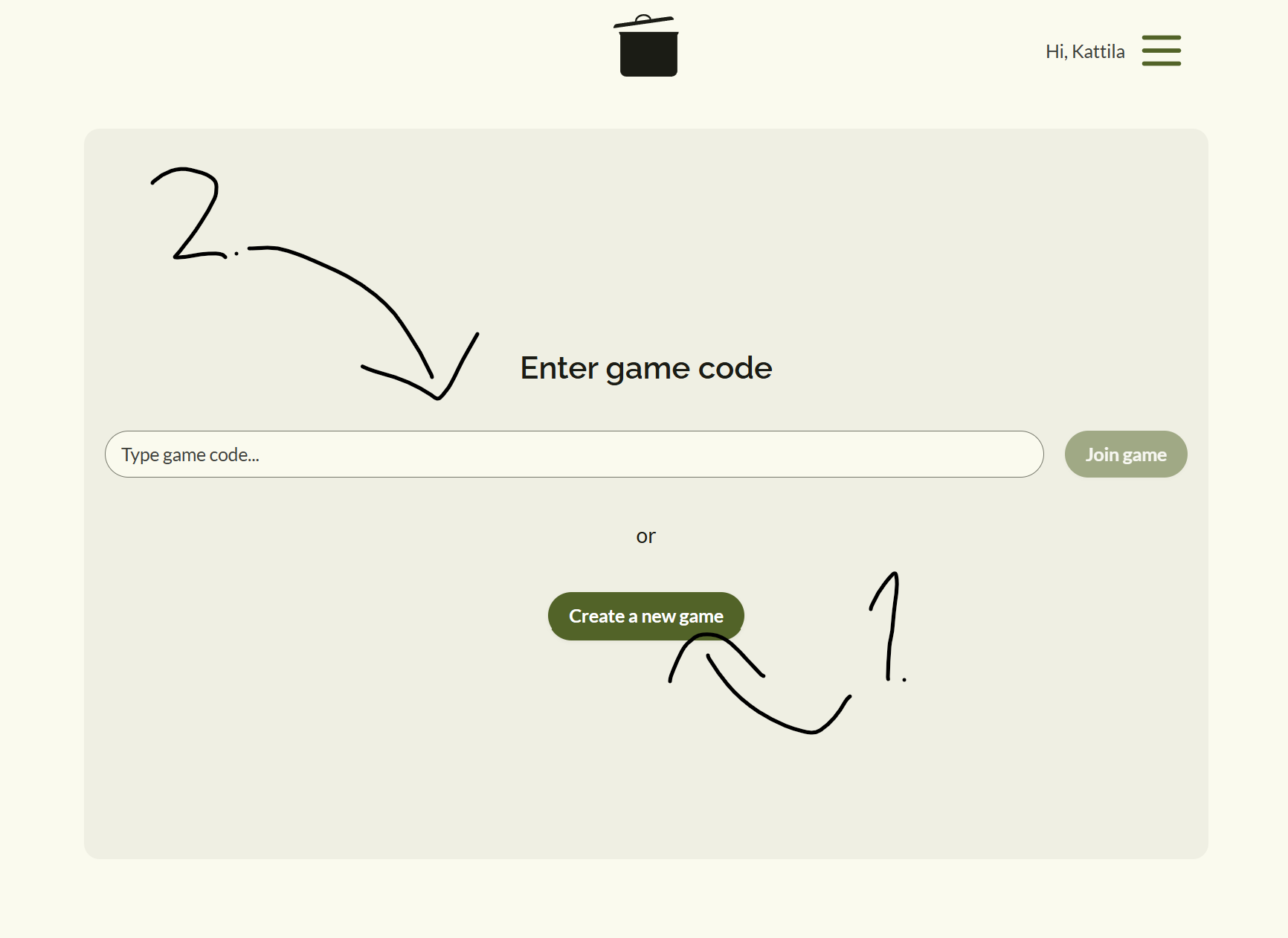
Step 1: Create or Join a Game Room
To start playing, one player needs to act as the host and create a room, while the other participants join.
- Creating a Room (Host): Go to kattilapeli.fi and select Create Game. This will generate a unique room code.
- Joining a Room (Players): Enter the active room code on the homepage and choose a nickname.
- Share the game link or the room code with your friends via messaging apps or show the screen directly.
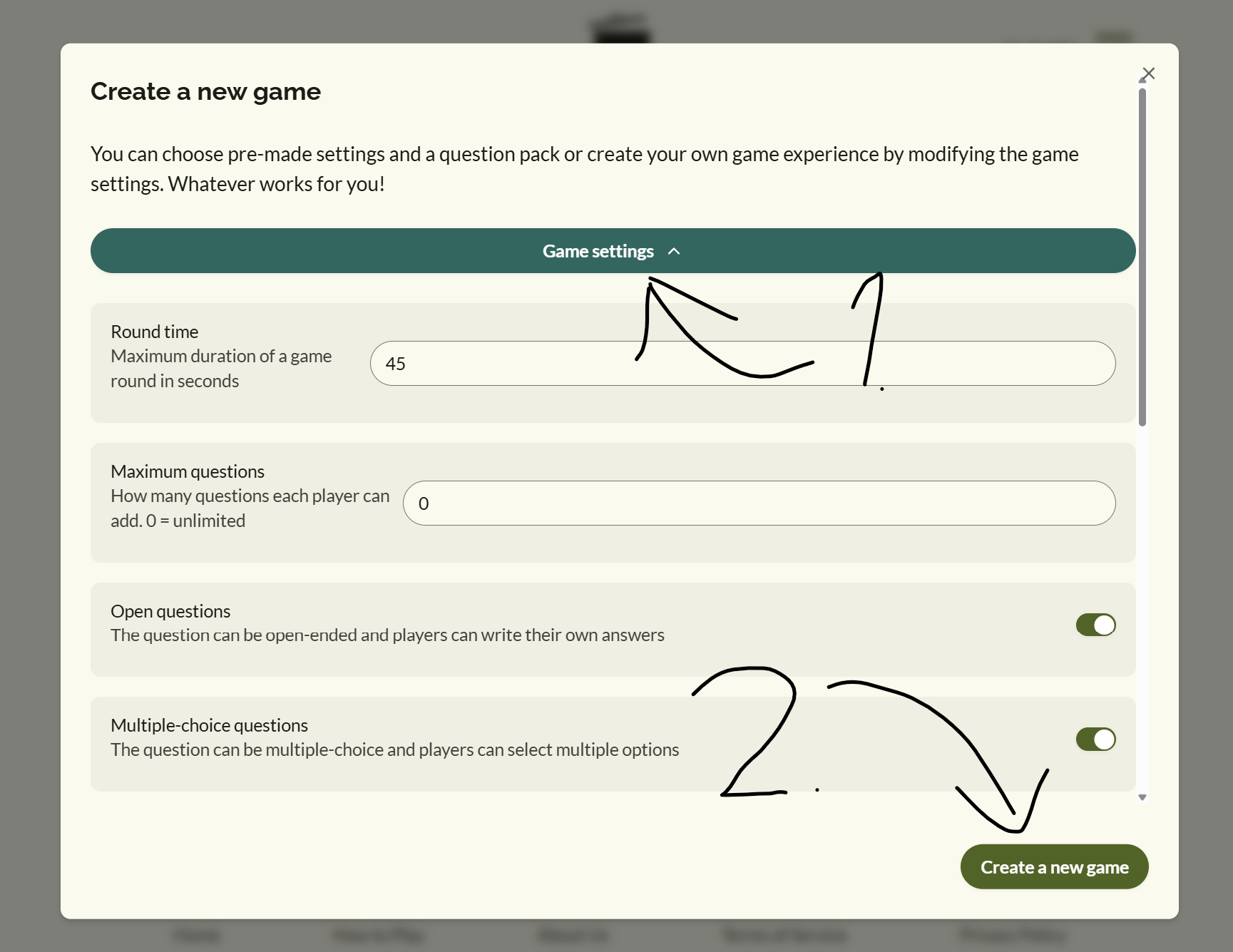
Step 2: Configure Game Settings (Host Only)
Before starting, the host can customize the rules to fit the group:
- Select Questions: Choose from our pre-made public question packs, or create and load your own custom packs.
- Timers: Adjust the response time limits (e.g., 45 seconds) to keep the game fast-paced.
- Question Limits: Set a limit on how many anonymous questions each player can write.
- Mid-Game Joining: Choose whether latecomers are allowed to join or if disconnected players can reconnect during an active round.
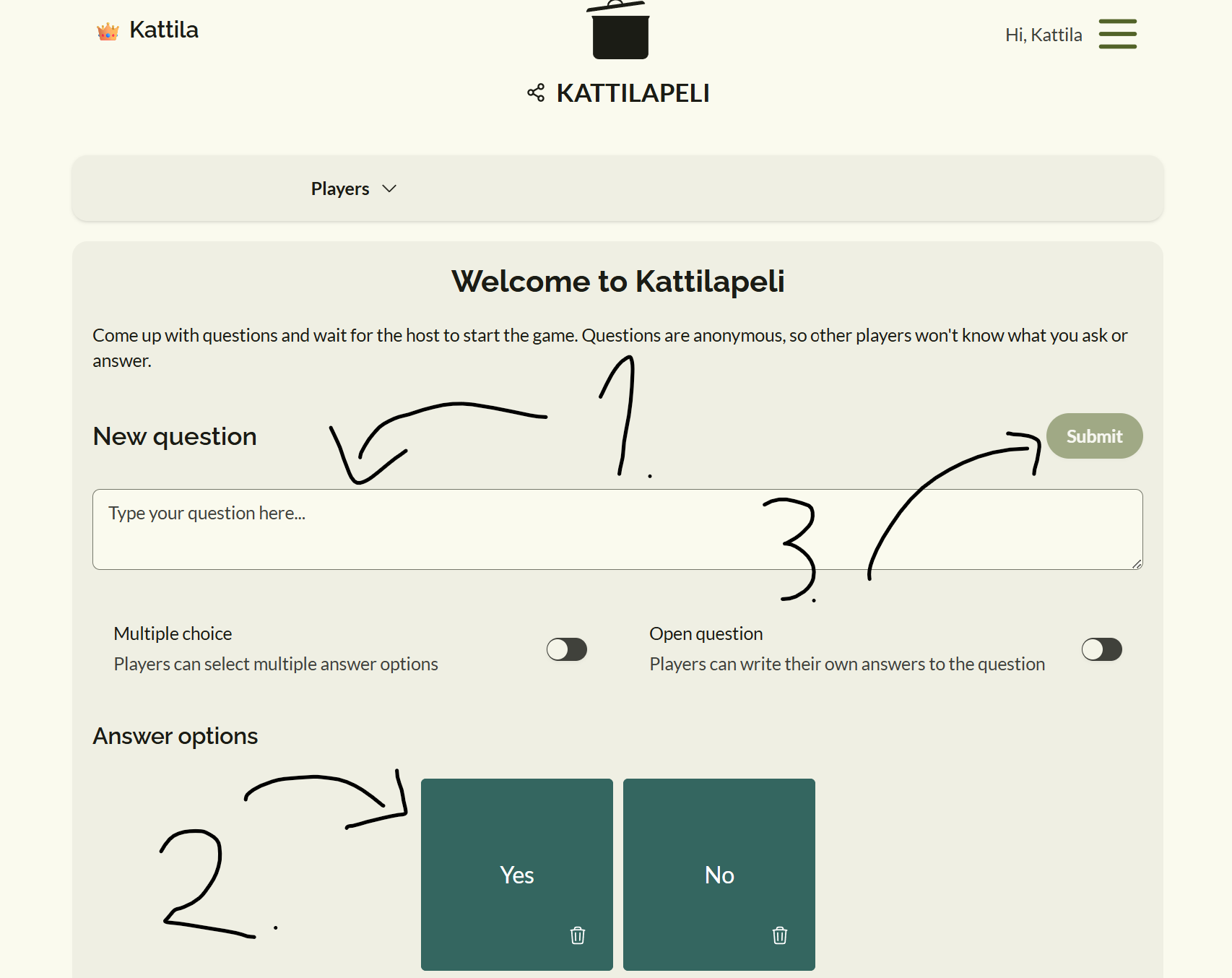
Step 3: Fill the "Pot" (The Question Phase)
Once everyone is in the lobby, players can add their own anonymous questions to the game.
- Type your question in the text box. Questions can be open-ended (free text responses) or multiple-choice.
- Submit your question. You can edit your own submissions or add follow-up questions until the host officially starts the game.
- All submitted questions remain completely anonymous.
Step 4: Active Gameplay & Answering
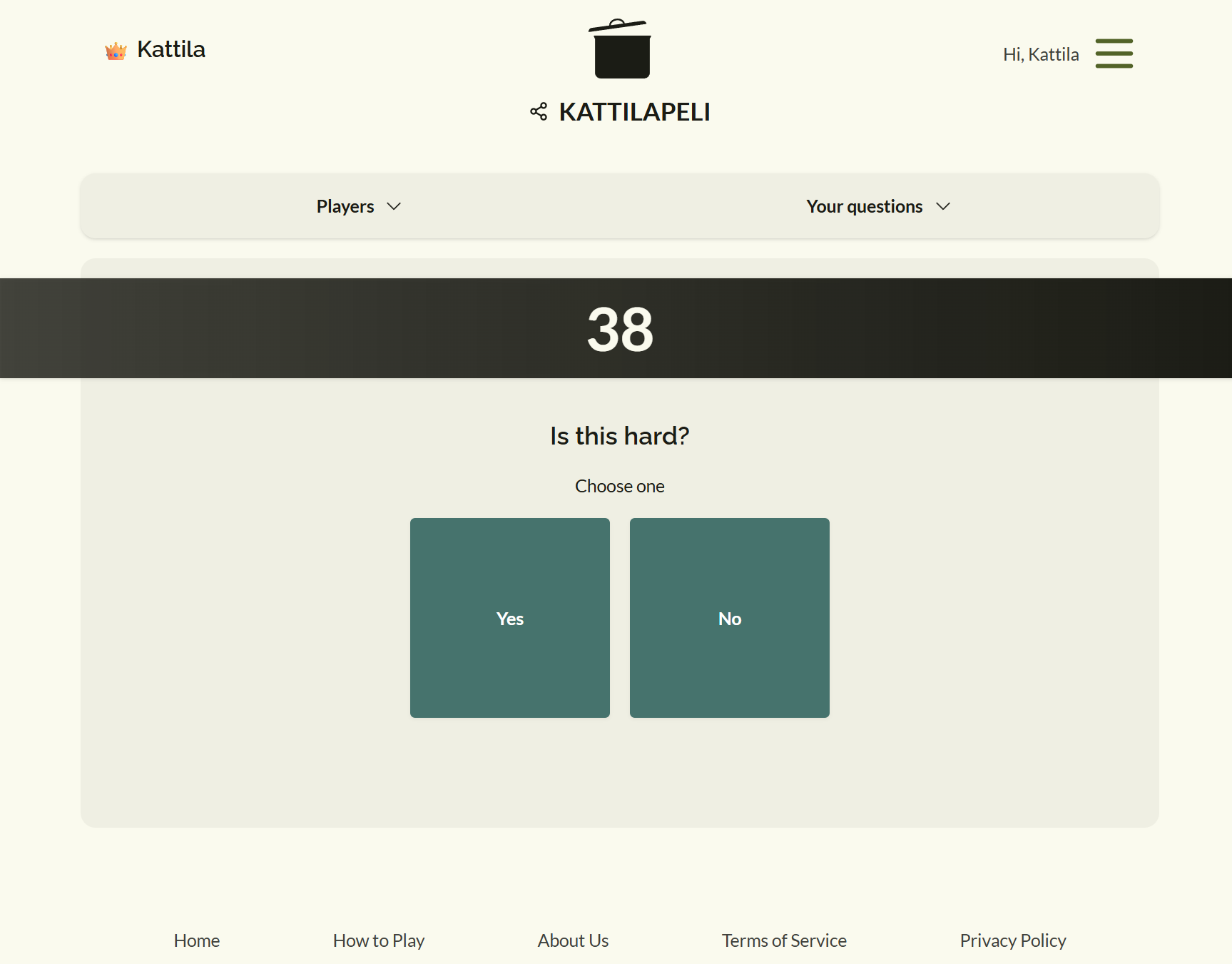
When the game starts, the system draws questions from the "pot" one by one.
- Read the Question: Every player sees the active question on their screen simultaneously.
- Submit Your Answer: Write your response (or pick an option if it is multiple-choice) before the timer runs out.
- Your answer is submitted anonymously. No one knows who wrote what during the round.
Step 5: Reveal and Discuss
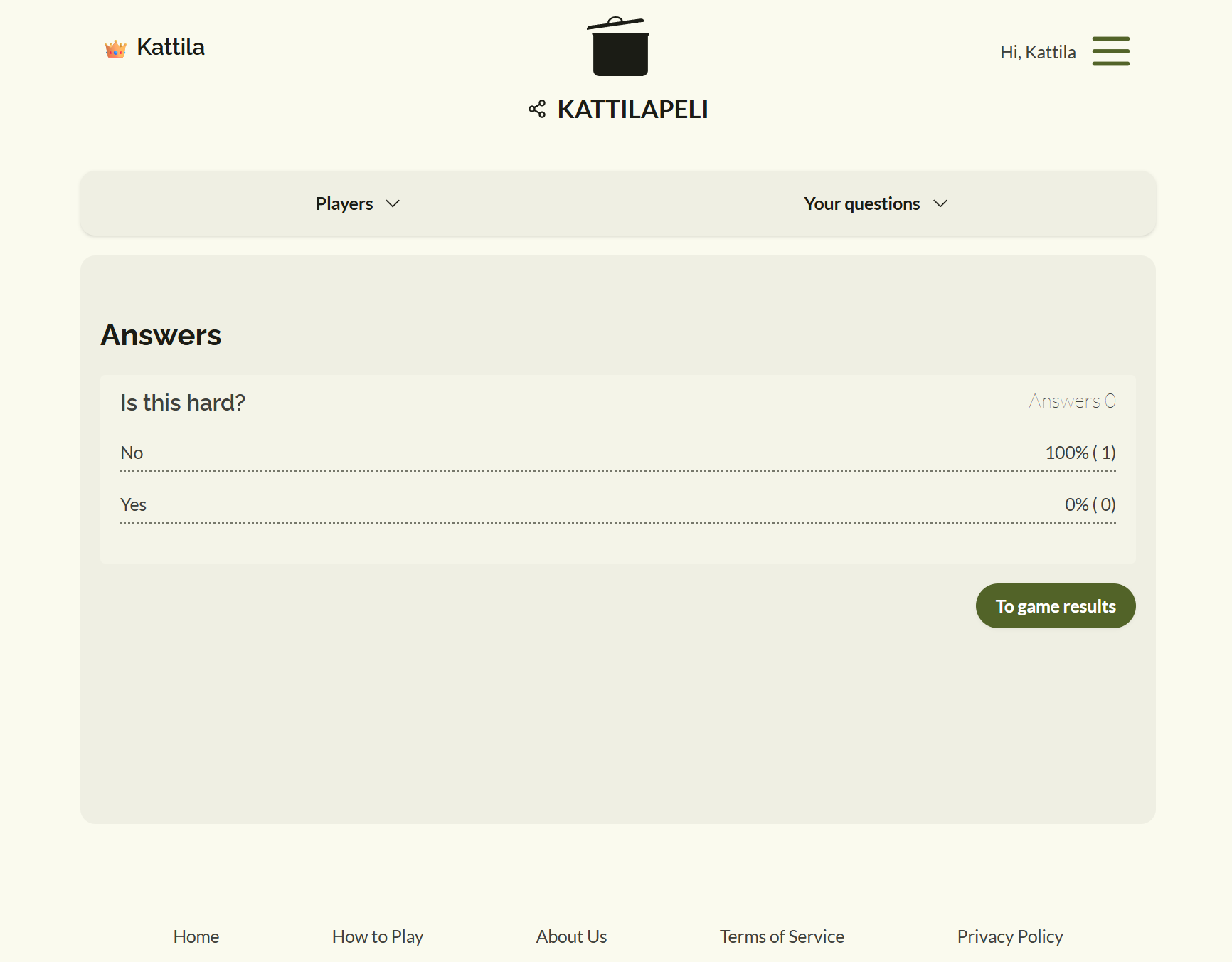
After everyone has answered (or the timer expires), the results are revealed.
- Review the Distribution: The screen displays a relative distribution of the answers (percentages) or lists the anonymous text responses.
- Discuss: This is the heart of the game! Talk about the results, try to guess who answered what, or share the stories behind the responses.
- When you are ready, the host moves the room to the next question.
Step 6: Late Joining & Reconnections
- Lost Connection? If your Wi-Fi drops or you accidentally close your browser, simply refresh or enter the room code again. The platform is designed to place you right back into your active seat.
- Late to the Party? If the host enabled mid-game joining, you can enter the room code and jump straight into the next round.